SkillBridge
Connecting Learners With the Best Instructors


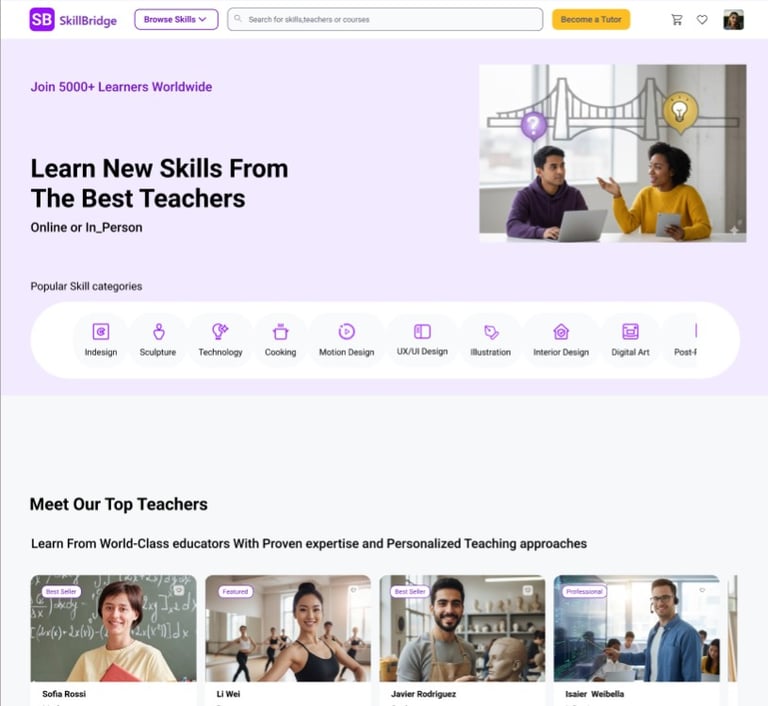
SkillBridge is a platform that connects people who want to learn new skills with trusted tutors around the world. Users can find instructors based on location, native language, budget, and flexible scheduling — through both online and in-person classes.

PROJECT OVERVIEW
Overview
Many learners want to build new skills—from painting and music to coding and test preparation—but struggle to find trustworthy, accessible, and affordable instructors. Existing platforms either focus on global online courses or traditional tutoring, and rarely combine proximity, language, and flexibility in one place.
Our goal with SkillBridge was to design a digital experience that makes learning feel approachable and empowering, no matter the learner’s age, location, or background.
Role
UX / UI Designer
Duration
2 Months
Team
4 designers
Tools
Figma, Miro, Zoom





Design Challenge
Learners often feel overwhelmed when looking for classes. It’s hard to compare options, understand who to trust, and commit to a course that fits their schedule and budget. This uncertainty prevents many people from even starting.
We needed to create a platform where learners can quickly understand their options, feel confident in choosing a tutor, and experience a smooth booking and payment flow.
Design Goals
Make it simple to discover relevant tutors and classes.
Highlight credibility through clear, transparent profiles.
Reduce friction during booking and checkout.
Encourage habit-building with credits and continued learning.
THE PROCESS
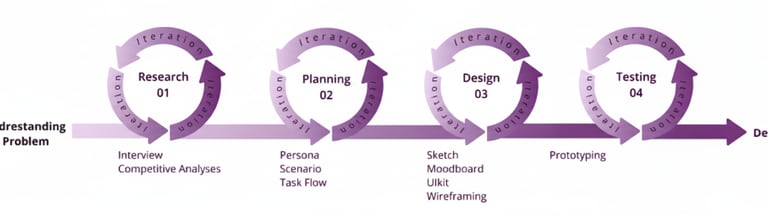
Design Process
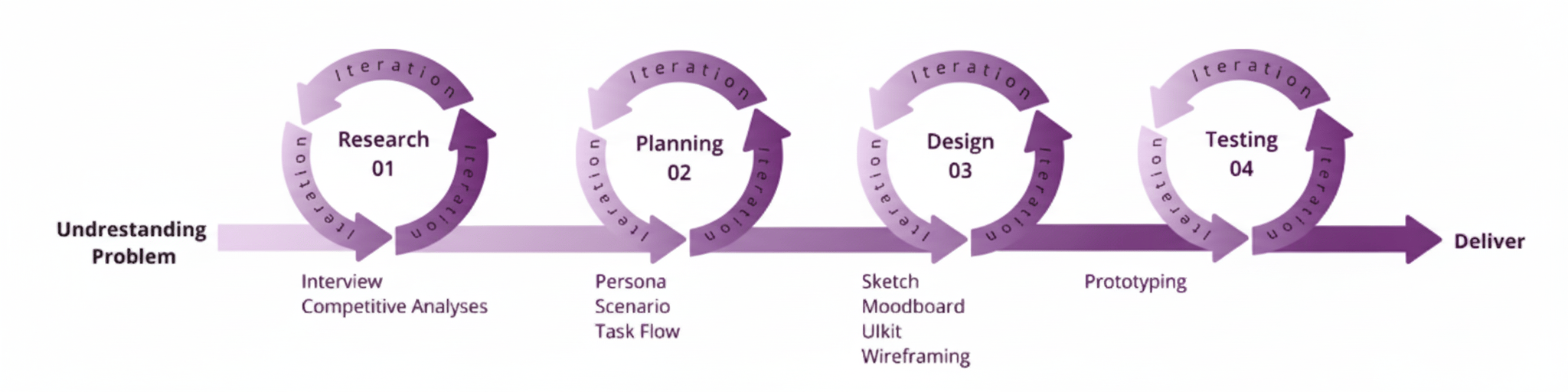
Our 5-week design sprint followed an iterative process across four phases. We moved back and forth between research, definition, design, and validation to refine the experience.
Research Methodology
My team of 5 ran a double Diamond method based on the Design Thinking Methodology. It was not a linear path, we bounced between stages as the project progressed
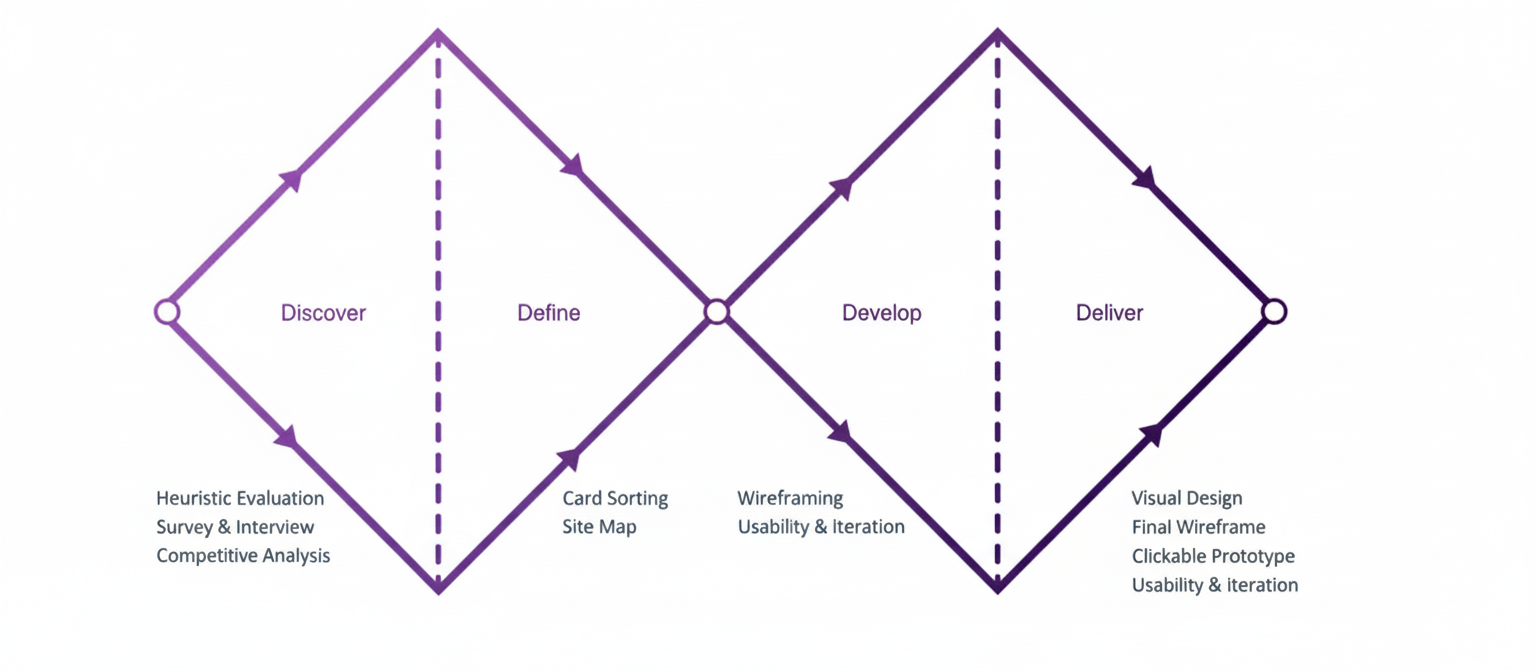
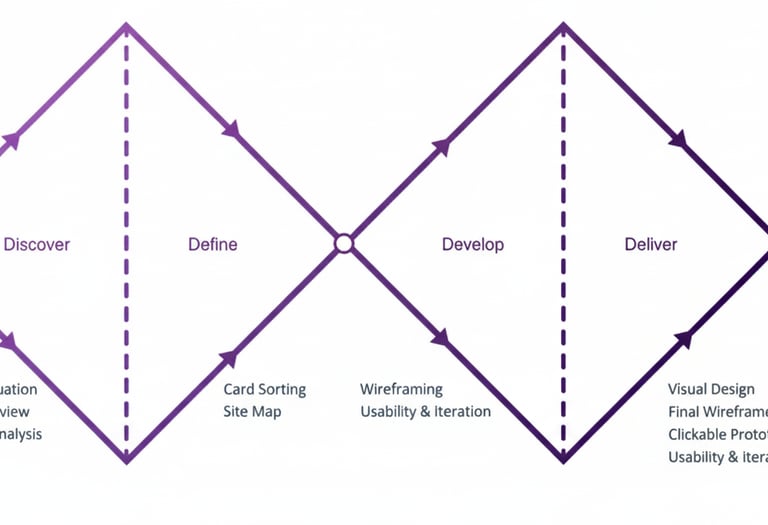
Double Diamond process customized for SkillBridge, from discovery to delivery.
Design Goals
Understand and Define
To understand how people currently search for tutors and what gaps exist in the market, we conducted market research and a competitive analysis of tutoring and online course platforms.
Methods
Desk research on existing tutoring and course platforms.
Competitive analysis of onboarding, filters, and booking flows.
Exploration of trust and pricing patterns.
Design Goals
Survey
We collected 77 survey responses, mostly from participants between the ages of 25 and 45. Many respondents felt unsure about how to choose a tutor who would match their goals, and struggled to find classes that fit their schedule and budget. Visual clarity and transparent information about tutors and classes proved critical.
From these results, When shopping for clothes, 91.5 percent of participants think about how clothes will match, and around 70% have difficulty finding a match. So it became clear that we should present in a clear and smooth manner the features that already exist in this business and that users are concerned about.


Interviews & Affinity Mapping
To deepen our understanding of learner behaviour, we conducted six semi-structured interviews with people who had previously tried to learn new skills through online or local tutoring. Our goals were to uncover emotional drivers, decision-making processes, and friction points along the journey from discovering a class to booking a session.
After capturing more than 180 qualitative data points, we used an affinity mapping exercise to cluster insights into recurring themes such as trust, scheduling, cost, and previous experiences with online learning. This helped us move from isolated quotes to system-level patterns that could inform the product strategy.
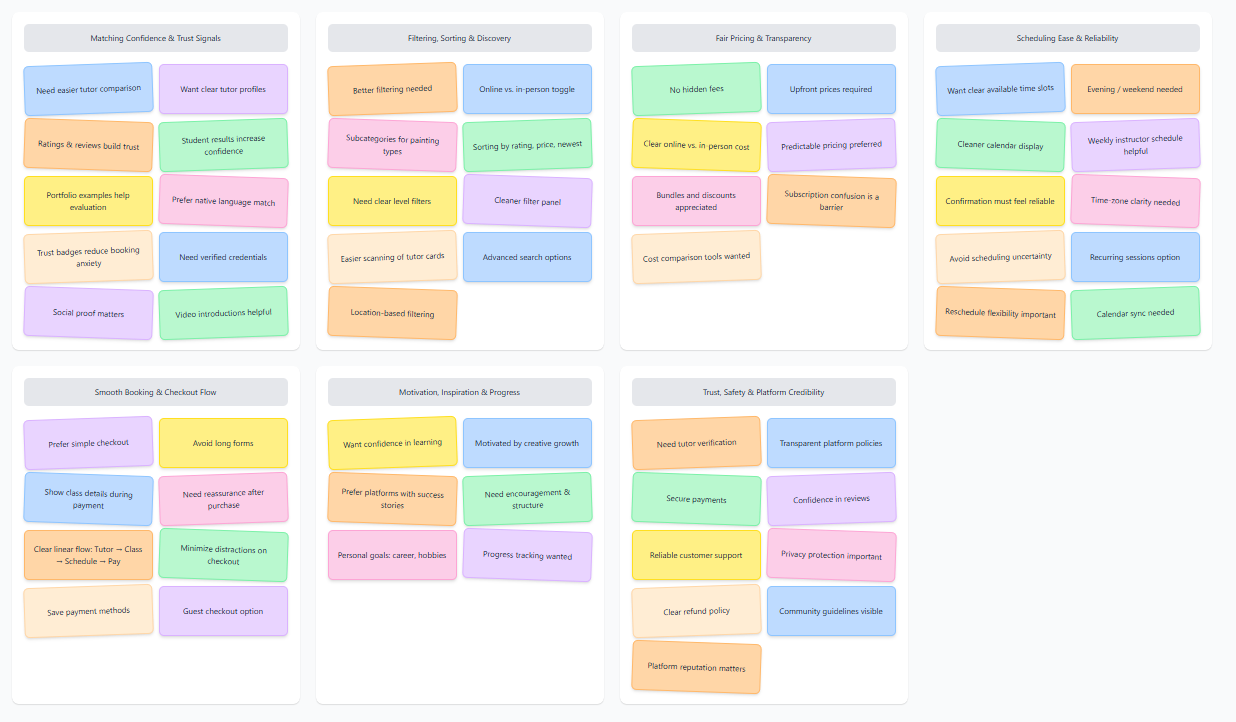
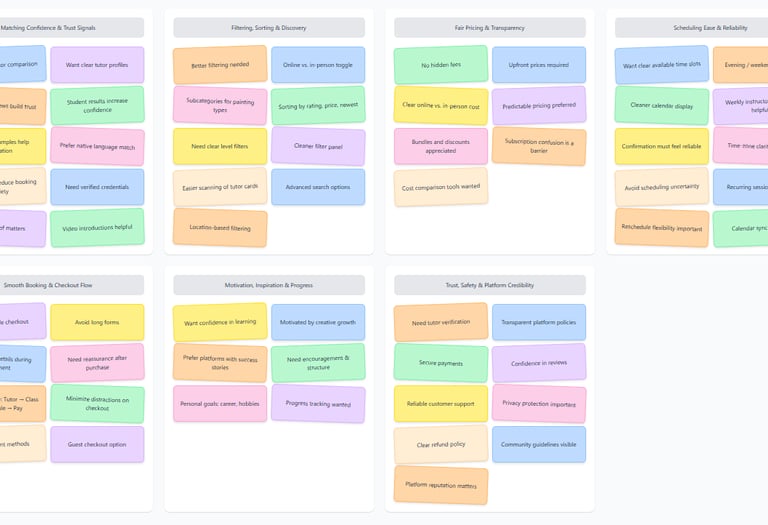
1. Matching confidence
Make it effortless for learners to discover the right tutor based on learning goal, language, availability, budget and proximity. This reduces uncertainty and shortens the time between interest and booking.
2. Frictionless commitment
Simplify the path from intention to booking with transparent class details, streamlined payment, and strong trust signals before checkout. This increases conversion and supports long‑term engagement with SkillBridge.
Competitive Analysis
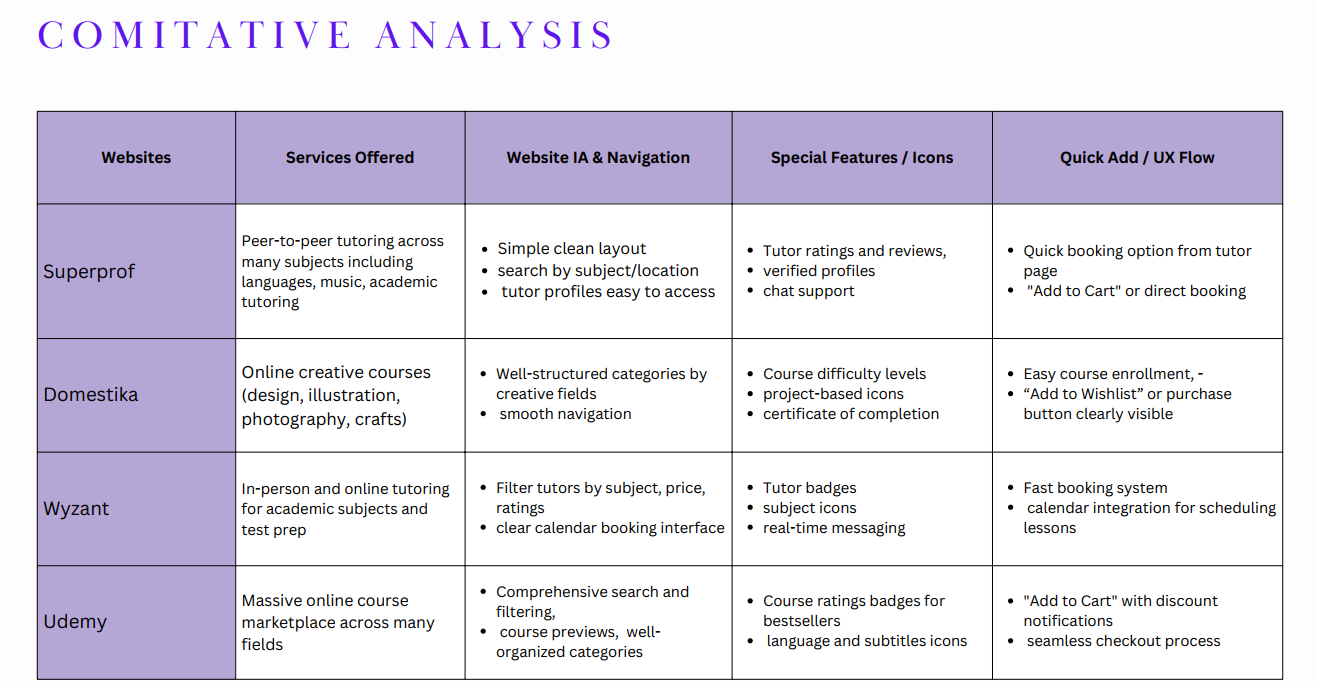
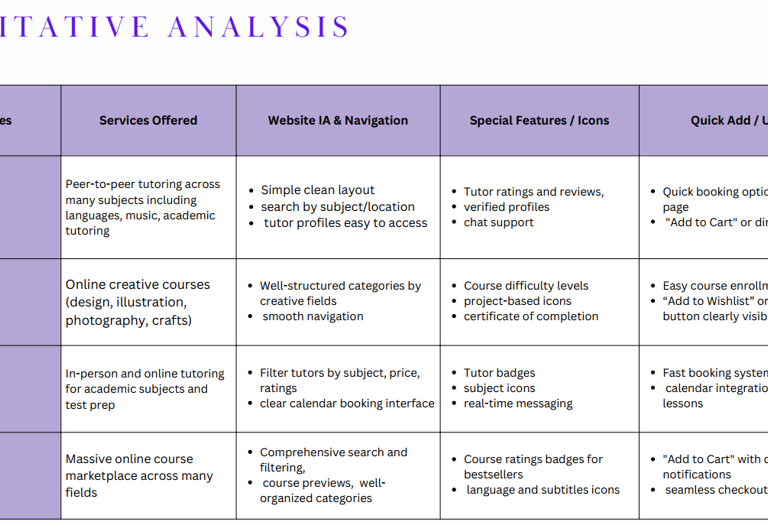
The third step in our research involved identifying successful patterns in current products and missing gaps. We explored different products and narrowed them down to 5 top competitors. As a team, we analyzed the good and the bad of each competitor and determined how they present their features.
Key Insights
Platforms like Udemy and Domestika make discovery easy but lack local, one-to-one teaching.
Tutoring platforms such as Wyzant or Superprof are powerful, yet often feel complex and expensive for casual learners.
Trust signals (reviews, badges, verified profiles) strongly influence decision-making.
Strengths
Clear search and filtering systems.
Ratings and reviews for social proof.
Simple “Add to cart” or quick booking flows.
Opportunities
Combine online and local classes in one place.
Emphasize location, language, and affordability together.
Create a calmer, more friendly UI for beginners.
Persona & Scenario
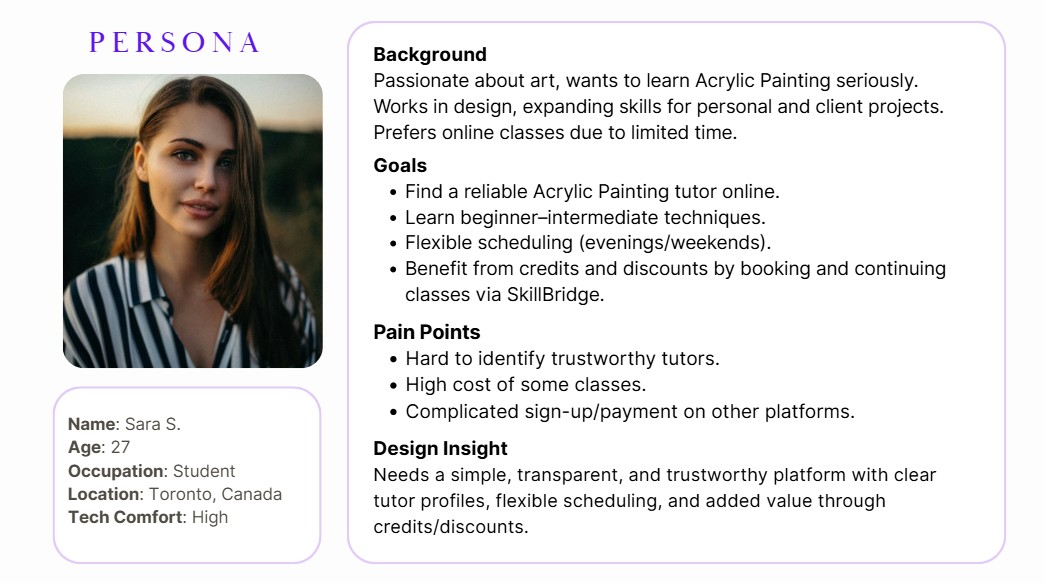
In order to establish tasks for our design, and to communicate information about the users that we collected during research, we developed a persona and a scenario.
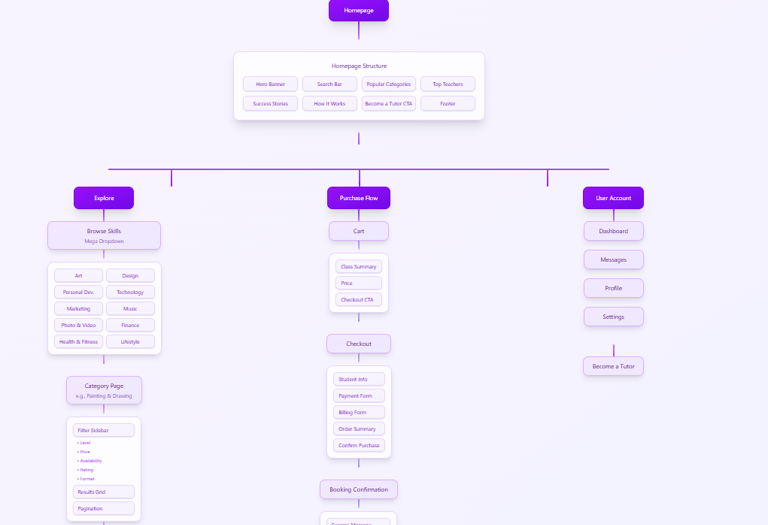
Information Architecture
Structuring the Experience
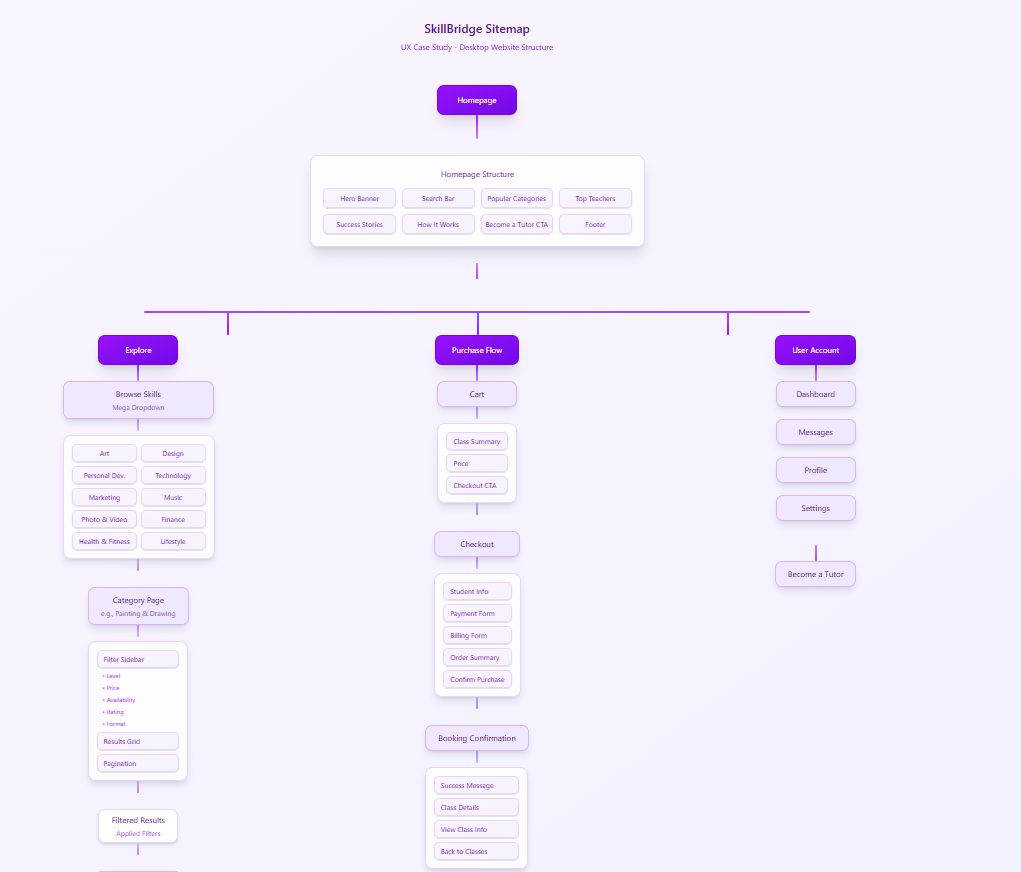
We structured the platform around one main journey: from discovering a skill to booking a class with confidence. This kept the information architecture focused and reduced decision fatigue.
Primary User Flow
Search for a skill or browse featured categories.
Apply filters for location, language, and budget.
Compare tutor profiles, ratings, and availability.
Select a time slot and confirm class details.
Complete payment and receive confirmation.
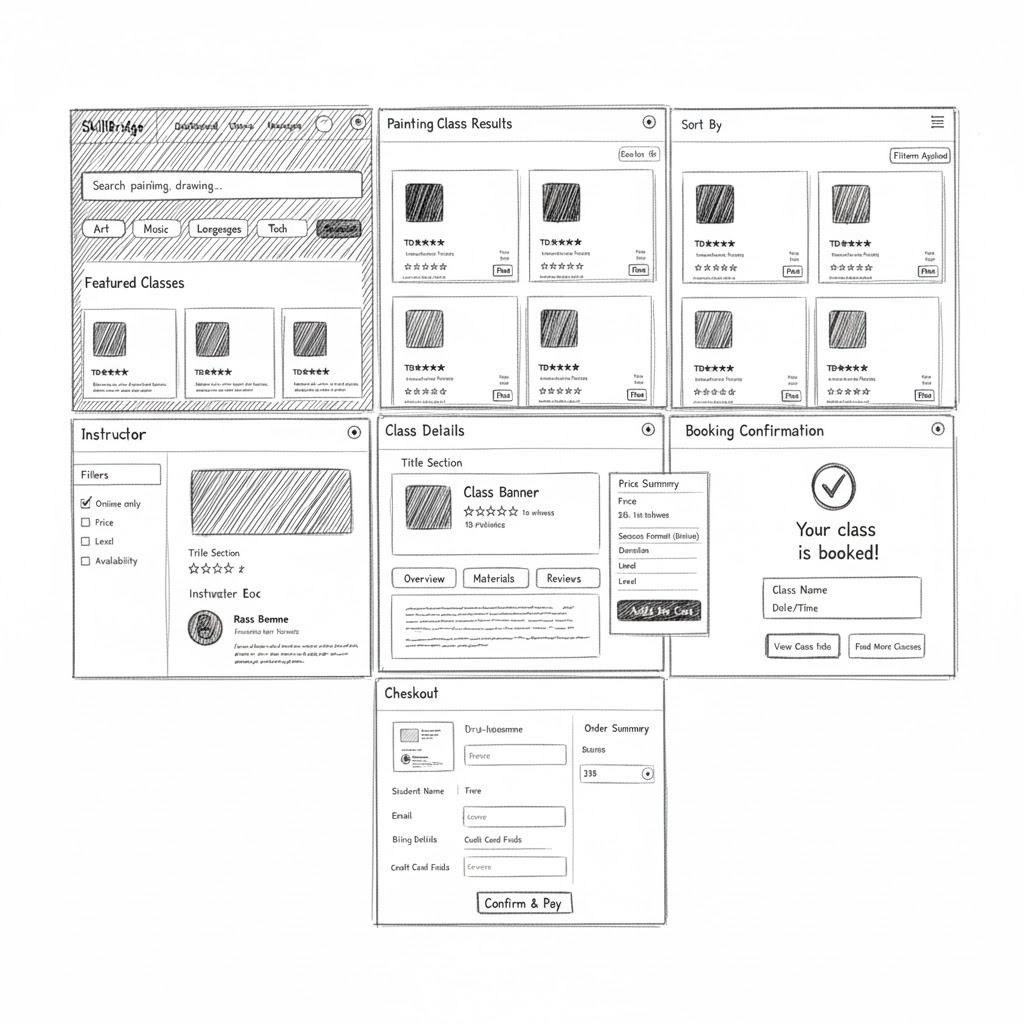
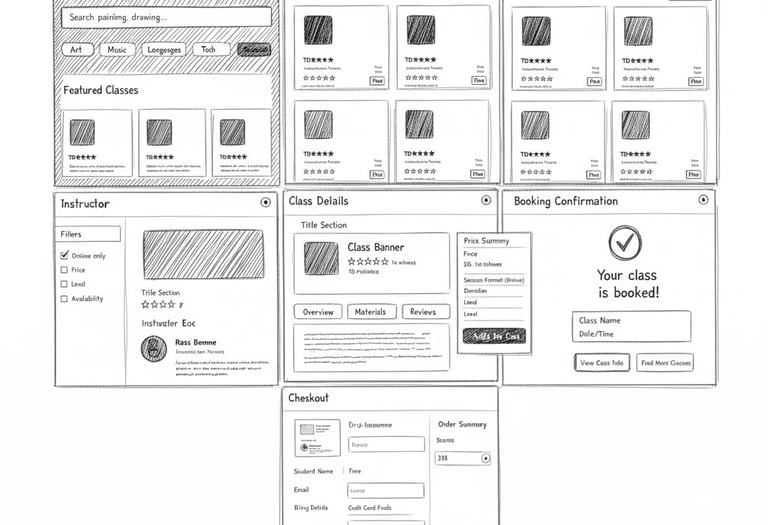
Sketches & Low-Fidelity Wireframes
Early sketches allowed us to explore layout ideas quickly and align as a team before moving into Figma. We experimented with how to highlight the primary action, present tutor cards, and show key information at a glance.
Moodboard & UI Design System
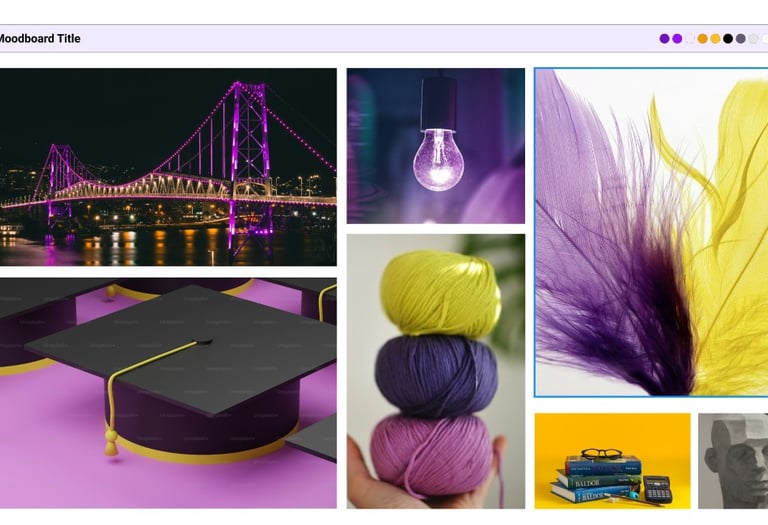
Visually, we wanted SkillBridge to feel energetic and optimistic while staying calm enough for learners of all ages. Purple became our main brand color to represent creativity, paired with warm accents and soft neutrals.
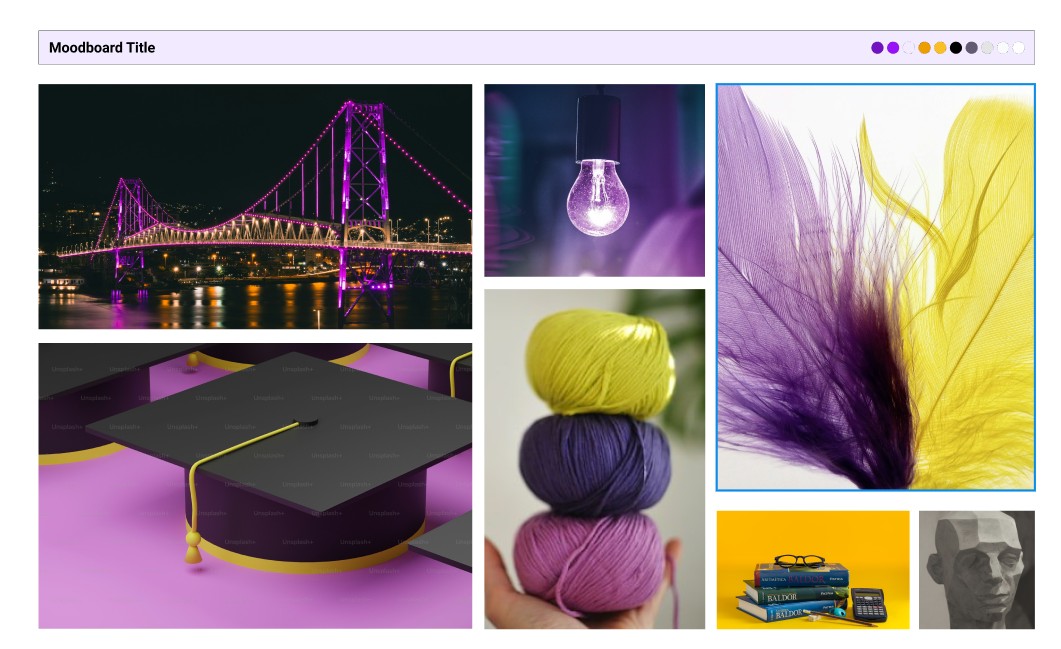
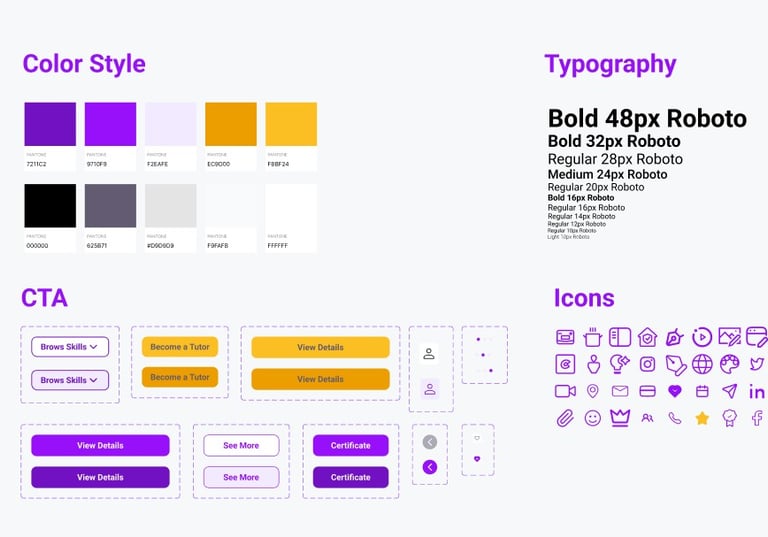
We built a UI system to keep the product consistent and scalable: typography styles, color tokens, buttons, cards, and iconography.
High Fidelity Mockups
After validating the flows, we moved into high-fidelity design and refined the details of each core screen: homepage, search, tutor profile, booking, and payment confirmation—across both desktop and mobile.
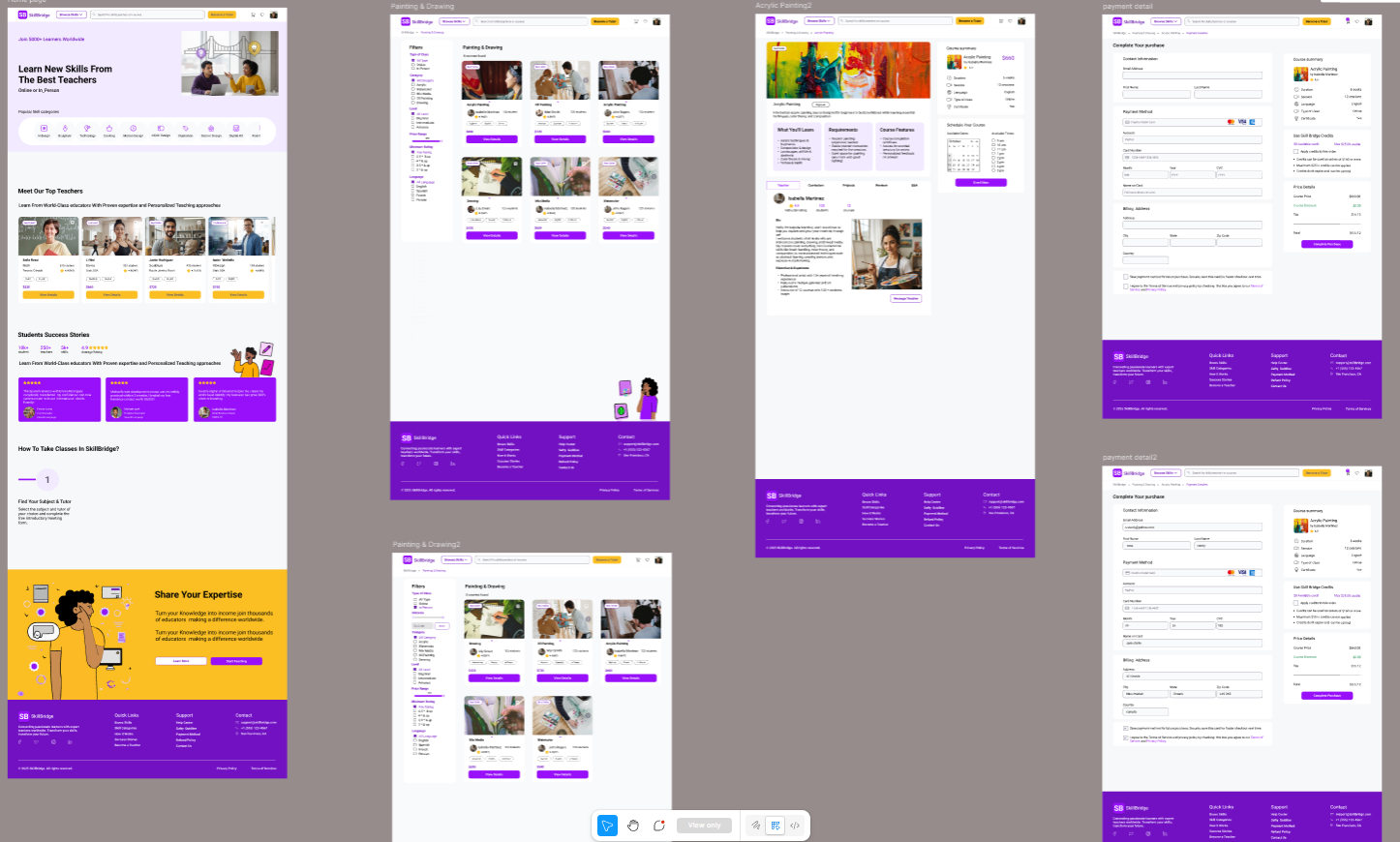
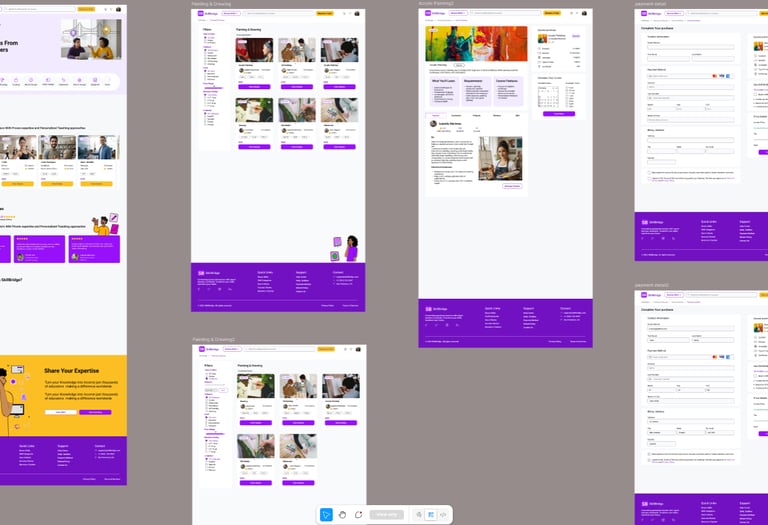


Final High-Fidelity Designs of Some Desktop Pages
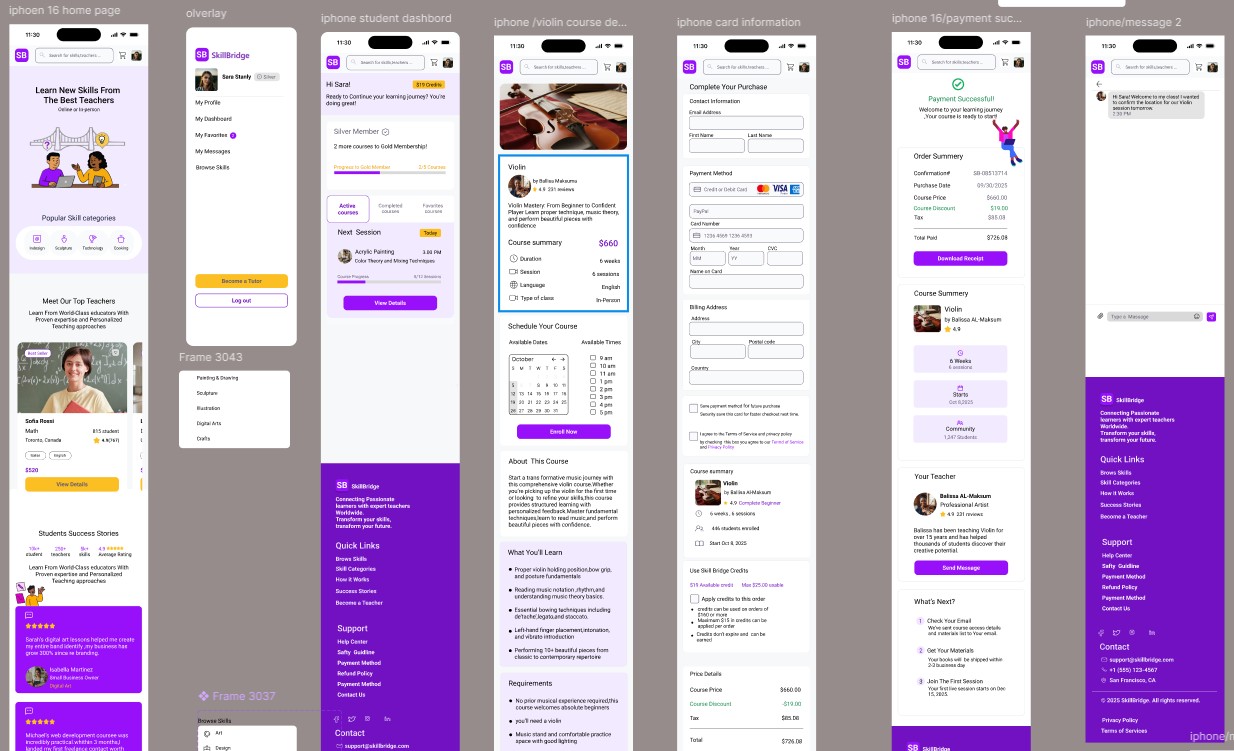
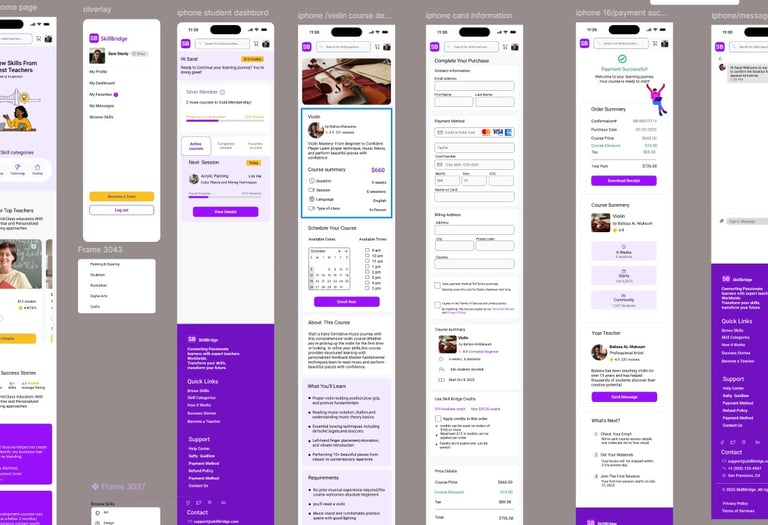
Final High-Fidelity Designs of Some Mobile Pages
Usability Testing and Iteration
Validating the Experience
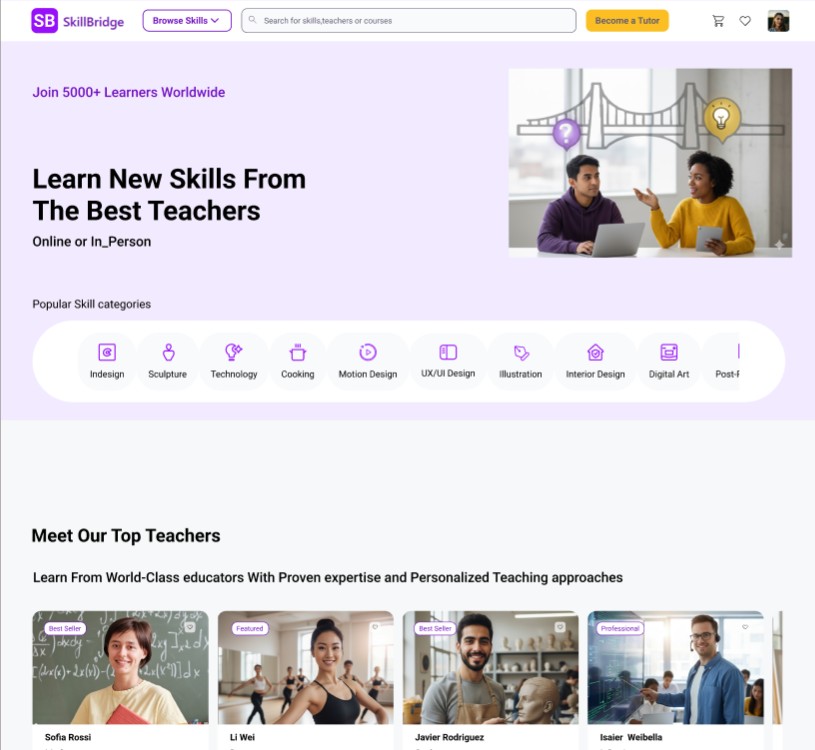
We tested early prototypes with users to see how easily they could find a tutor, understand pricing, and complete a booking. The tests revealed key friction points in the homepage hierarchy and payment flow.
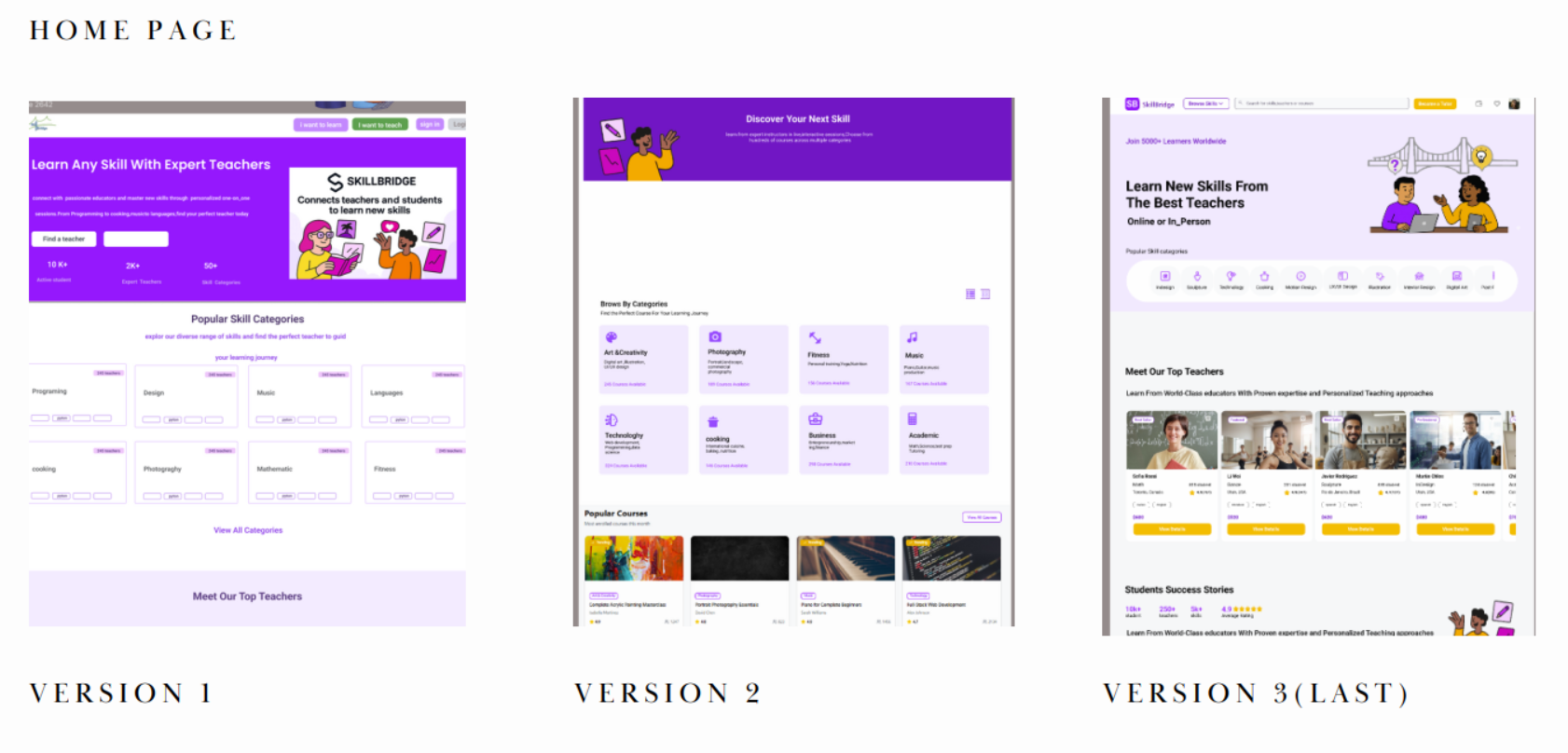
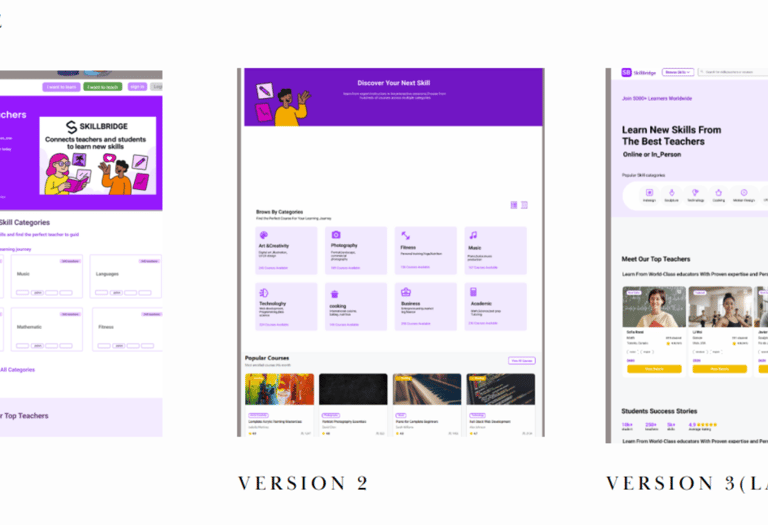
Phase One
Key Findings & Changes
(Aligned fully with your real flow)
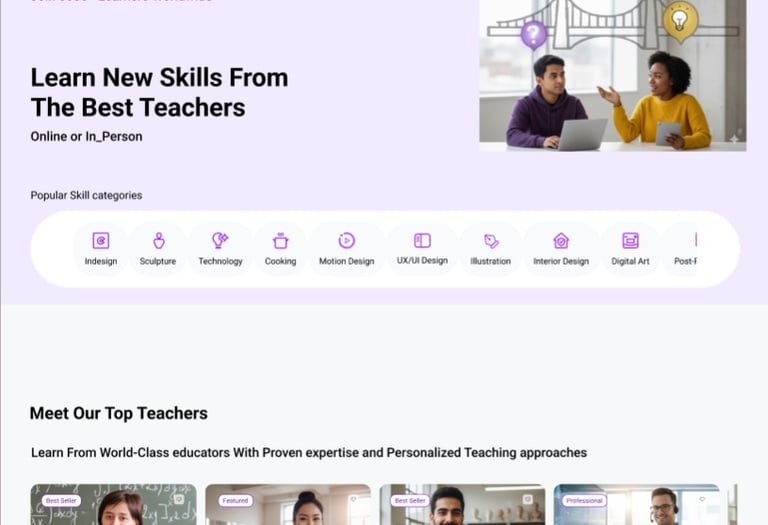
1️⃣ Learning Categories as the Primary Entry Point
Users came to SkillBridge looking for specific skills — like Acrylic Painting — not tutors.
What changed
→ We prioritized skill categories at the top of the homepage
→ Clear visual icons + labels for faster scanning
→ One-tap entry into painting category
2️⃣ Focus on Course Discovery (Not Tutor Browsing)
Users needed to compare classes first, then tutors only if needed.
What changed
→ Course cards highlight the key decision info:
• Skill type (Acrylic Painting)
• Session format (Online / In-Person)
• Price
• Reviews
→ Tutor details moved inside course as supportive info
3️⃣ Purchase Experience Made More Familiar
Users expect e-commerce style checkout rather than long skill-matching onboarding.
What changed
→ “Add to Cart” added directly on class page
→ Key details always visible during checkout:
• Class name
• Date & time
• Price
→ Checkout is shorter + clearer → less hesitation
Final User Flow
Find Category → Select Painting Class → Read Details → Add to Cart → Checkout
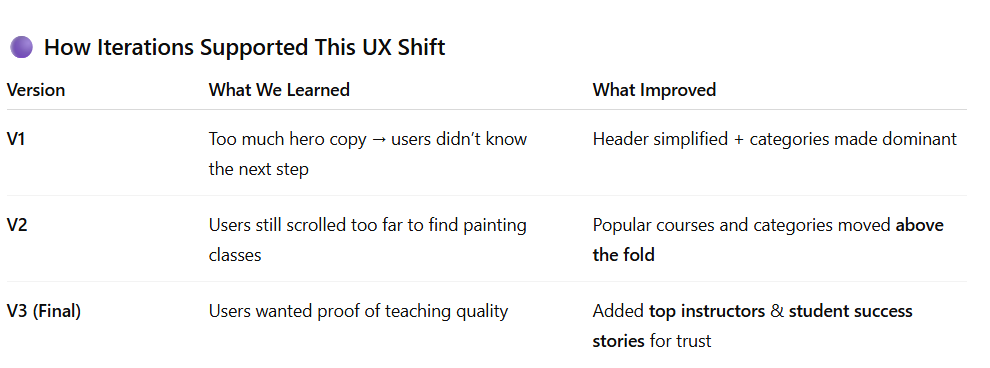
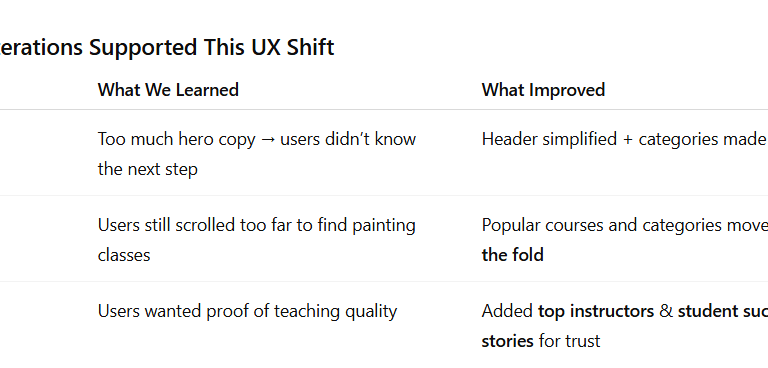
First Task Result
Updated Version
The final concept for SkillBridge enables users to quickly discover and book the right Acrylic Painting class through clear skill categories, easy course comparison, and a simplified checkout experience. Learners can explore a variety of creative courses, review class details with confidence, and add sessions to their cart with a familiar, friction-free purchase flow.
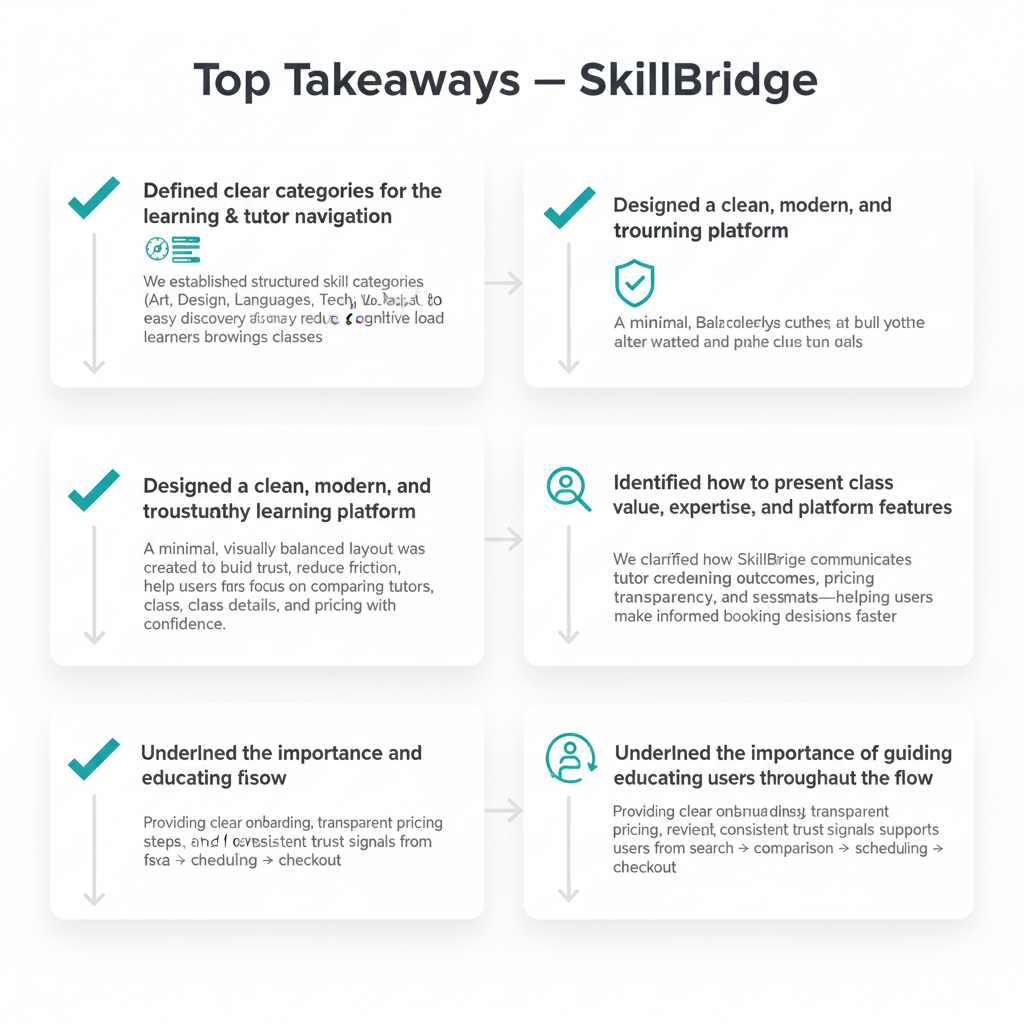
Key Takeaways — What We Learned
• Prioritizing skill categories (e.g., Acrylic Painting) reduces decision friction and speeds discovery
• Class cards must highlight essential decision details: format, level, rating, and price
• Showing valuable info early improves user confidence before they invest time reading details
• A simple “Add to Cart” checkout flow feels intuitive and reduces hesitation
Second Task Result – Filters for Painting & Drawing
Before (1 – Old Iteration)
In the first version of the Painting & Drawing results page:
The filter panel on the left was collapsed into dropdown sections (“Filters” with accordions).
Users saw the course cards but couldn’t easily tell which filters were available or applied.
There was a lot of empty space between the filter area and the course grid, so their eyes went straight to the cards and they ignored the filters.
During testing, several participants had to “double-check” the left panel or forgot which options they had selected.
Result: Users weren’t fully confident that they were seeing the right set of Acrylic / painting classes.
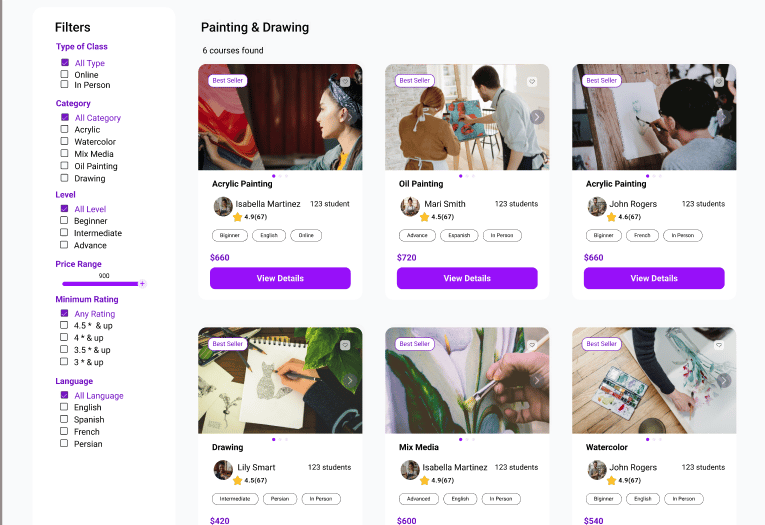
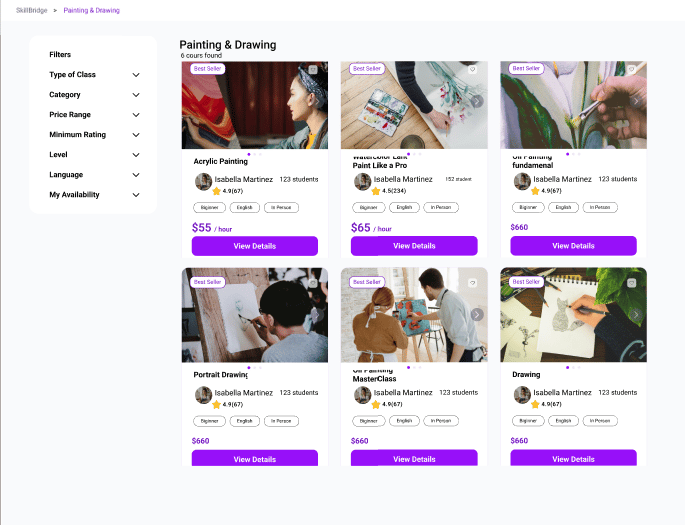
After (2 – Refined Version)
In the refined version after usability testing:
The filter column is always open and fully labeled (“Type of Class”, “Category”, “Level”, “Price Range”, “Minimum Rating”, “Language”).
Checkboxes and the price slider are immediately visible, so users understand at a glance how they can narrow down Acrylic Painting classes.
The title “Painting & Drawing – 6 courses found” gives clear feedback that filters have been applied and how many results they’re affecting.
The visual gap between filters and courses is reduced, which creates a stronger connection between the left panel and the course grid.
Result: Users understood which filters were controlling the results and felt more confident exploring and comparing painting classes.
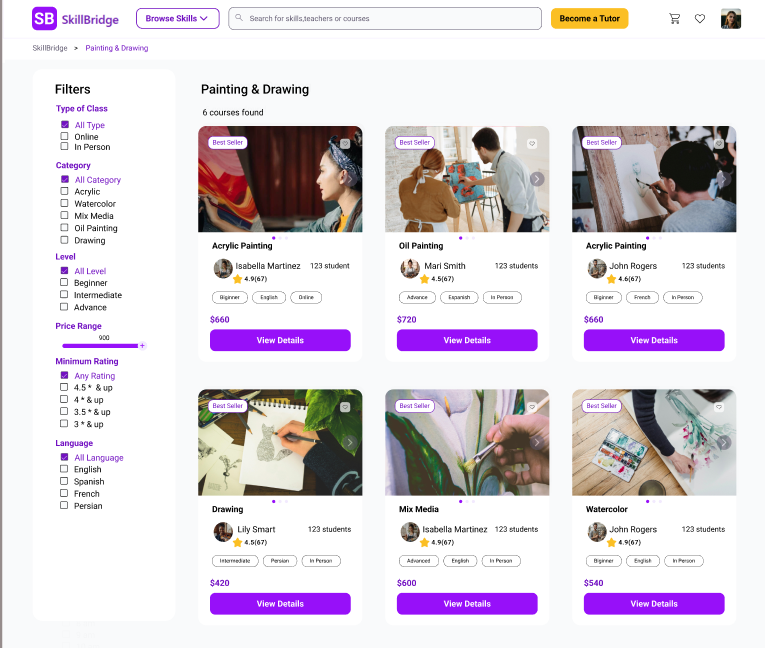
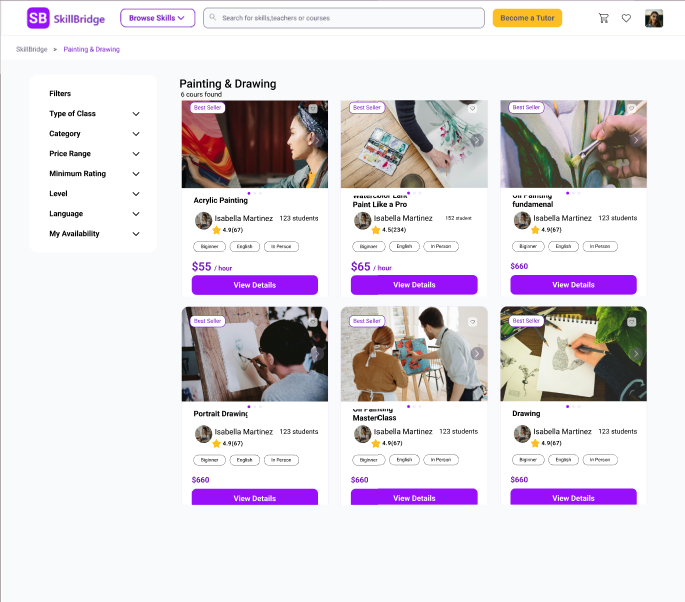
Old layout – filters hidden in dropdowns and visually disconnected from course results. Users often missed which filters were applied.
Refined layout – filters surfaced and grouped clearly, with visible result count. Users quickly understood how their choices shaped the Painting & Drawing results.
Second Task Result
Finding:
During the 2nd task and after filtering products, although applied filters were shown, participants did not figure out which filter is applied.
The applied filters weren't visible due to excessive negative space.


Third Task Result – Users Struggled to Match Dates with Available Times
Goal: Schedule a class at a suitable date & time
In the first design (Version 1), users were unsure which class times corresponded to which selected day:
The calendar and time selector were not visually connected
Users clicked multiple dates to hunt for availability
The heatmap showed high confusion around the calendar area
Feedback: “I don’t know which day actually has this time…”
This resulted in hesitation and slowed booking decisions.
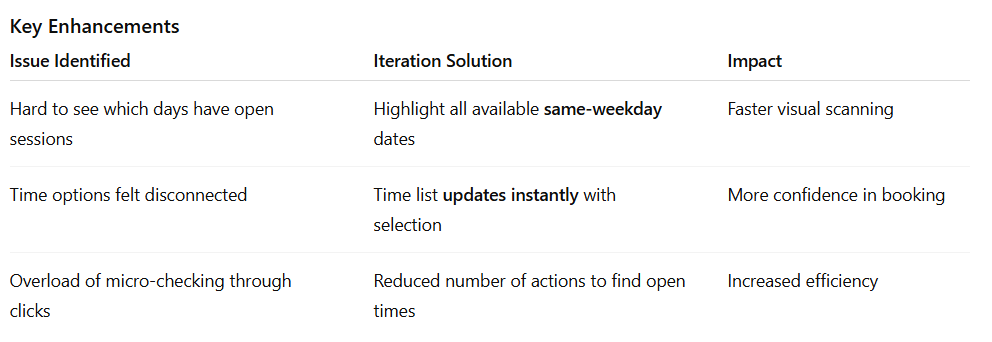
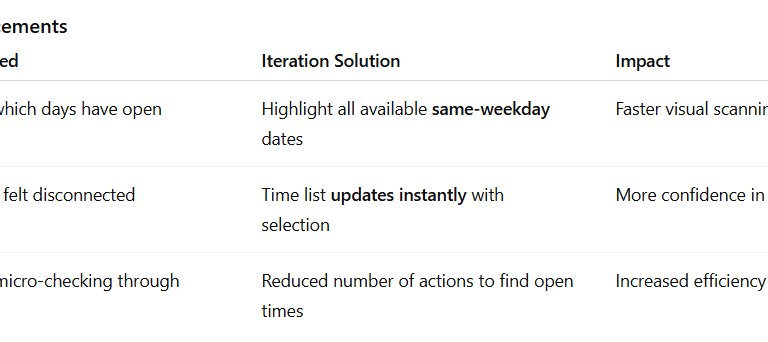
Design Improvement — Clear Visual Mapping Between Date & Time
In the updated version, we improved comprehension and flow by connecting interactions:
When a user selects a date :
➡ All matching weekday slots are highlighted in the calendar
➡ The paired available class times are immediately revealed on the right
This gives users a clear mental model of availability. In the refined version after usability testing:
The filter column is always open and fully labeled (“Type of Class”, “Category”, “Level”, “Price Range”, “Minimum Rating”, “Language”).
Checkboxes and the price slider are immediately visible, so users understand at a glance how they can narrow down Acrylic Painting classes.
The title “Painting & Drawing – 6 courses found” gives clear feedback that filters have been applied and how many results they’re affecting.
The visual gap between filters and courses is reduced, which creates a stronger connection between the left panel and the course grid.
Result: Users understood which filters were controlling the results and felt more confident exploring and comparing painting classes.
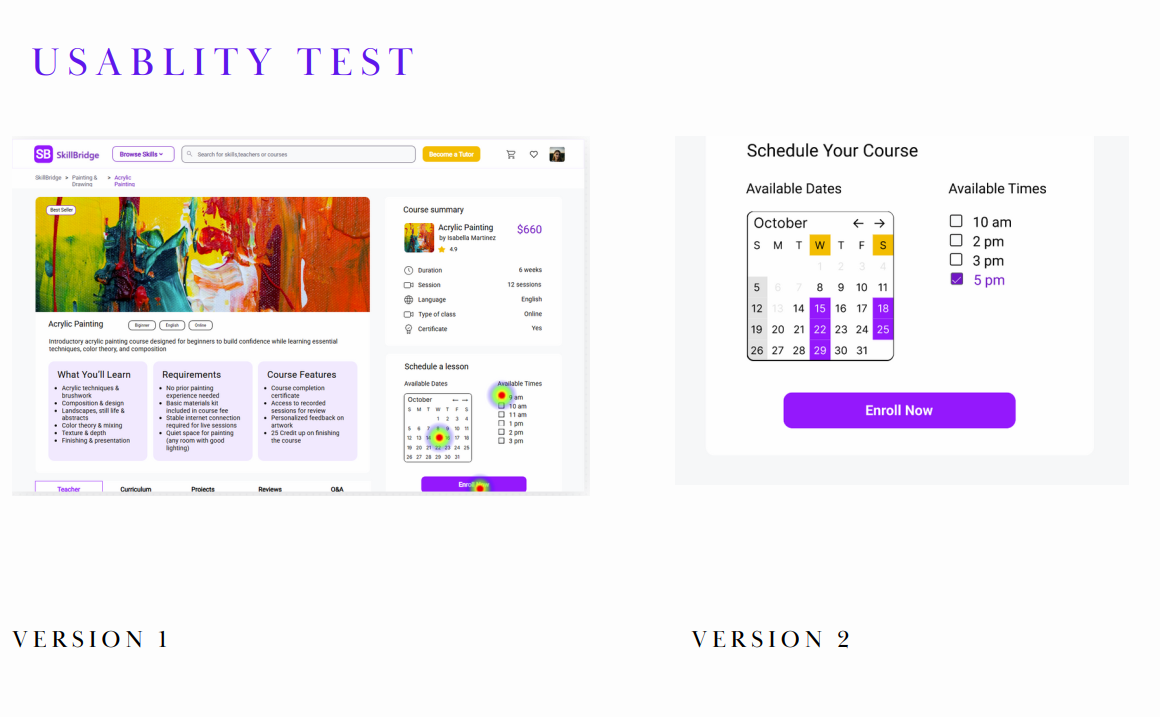
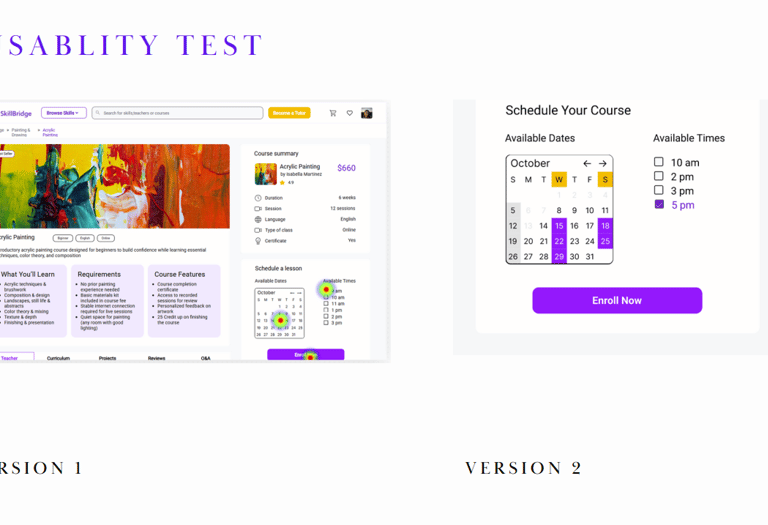
Old layout – Users struggled to understand which time slots were associated with the selected date. The date and time options were visually disconnected, causing confusion and extra clicks to find availability.
Refined layout – Selecting a date now highlights all available sessions for that weekday, and corresponding times are shown instantly. This clear visual connection improves efficiency and confidence during scheduling.
Deliver
Final Prototype
In this section, you can check out the complete final prototype.





Final Experience & Learnings
The final concept for SkillBridge brings together clear discovery, rich tutor profiles, and a streamlined booking flow. Learners can quickly filter tutors by what matters most to them — location, language, price, and schedule — and feel confident when booking a class.
Key Takeaways
Balancing user needs with business goals is crucial when designing pricing, credits, and rewards.
Small adjustments in hierarchy and microcopy can significantly improve trust on tutor and payment screens.
Iterative testing, even with a small group, reveals patterns that aren’t visible from design alone.
Expected Impact
Learners can discover Acrylic Painting and other creative classes faster through simplified category navigation.
Clearer class cards and familiar checkout patterns improve purchase confidence and reduce hesitation.
A more scalable structure supports the expansion of creative skills and future filtering enhancements.
What I Learned
Visually aligning filters and results dramatically impacts perceived clarity and trust.
Small UI changes (labels, spacing, visibility) can make users feel more in control of decisions.
Frequent user feedback helps validate assumptions and remove unnecessary complexity.
What I’d Explore Next
Support more detailed class scheduling visibility to help users pick the best time faster.
Add personalized recommendations based on skill level or related painting styles.
Test additional filter layouts (chip-based, sticky bar for mobile) to further reduce cognitive load.
Expand beyond painting to other creative skills once the model is validated.